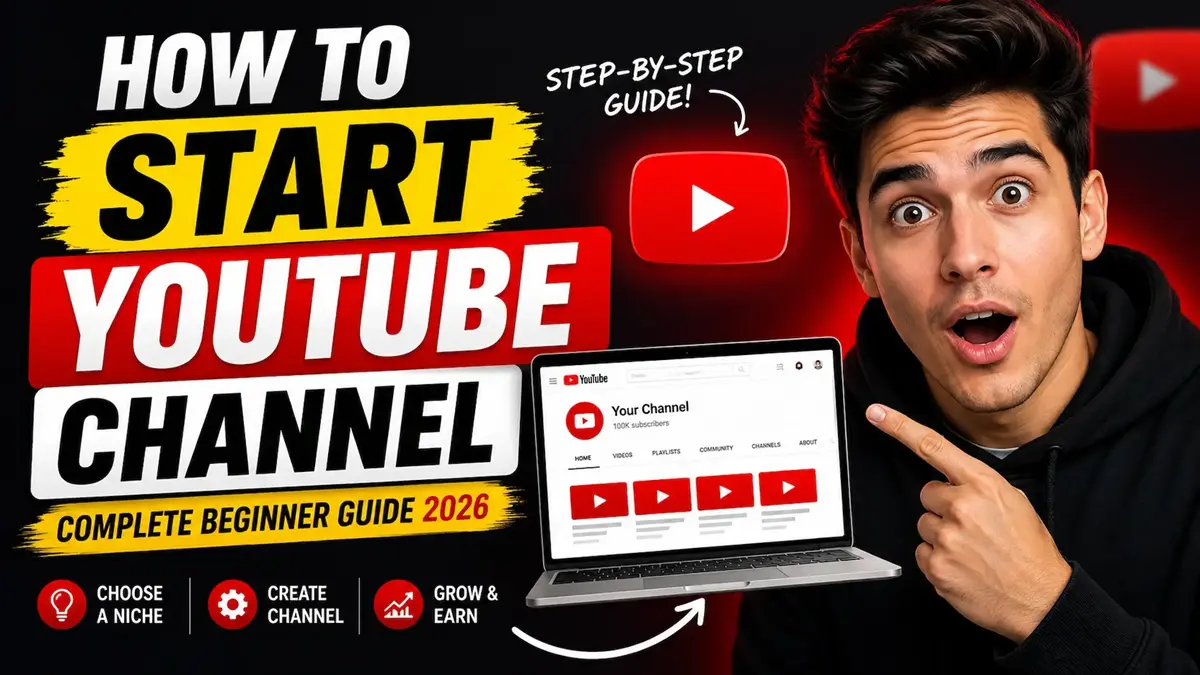
How to Start a YouTube Channel: Complete Beginner Guide

Starting a YouTube channel in is easier than ever, but building a successful channel still requires the right strategy. Every day, millions of people watch videos on YouTube, and creators around the world are turning simple content ideas into personal brands, online businesses, and full-time careers.
The best part is that you do not need expensive cameras, professional editing skills, or viral luck to begin. Many successful YouTubers started with basic tools, free software, and beginner-level experience. What matters most today is creating valuable content, staying consistent, and optimizing your videos so both viewers and the YouTube algorithm understand your channel.
If you are wondering:
- how to start a YouTube channel
- how to make YouTube videos
- how to create your first YouTube video
- how YouTube growth works
this complete beginner guide will walk you through everything step by step.
In this article, you will learn:
- how to choose the right YouTube niche
- how to set up your channel professionally
- how to script and record videos
- the best beginner equipment and software
- YouTube SEO and algorithm strategies
- how creators grow channels today
- monetization and scaling strategies
- common beginner mistakes to avoid
Whether you want to build a personal brand, create educational tutorials, start a faceless channel, make money online, or simply share your passion, this guide will help you build your channel the right way from day one.
Who Should Start a YouTube Channel?
One of the biggest misconceptions about YouTube is that only experts, influencers, or people with expensive equipment can succeed. That is no longer true. Today, almost anyone can start a YouTube channel if they are willing to learn, stay consistent, and create content that helps or entertains viewers.
YouTube has become one of the largest opportunities for:
- personal branding
- online business growth
- audience building
- affiliate marketing
- education
- entertainment
- freelancing
- community building
The platform rewards creators who provide value consistently, even if they start small.
You should consider starting a YouTube channel if you are:
- a beginner wanting to build an online presence
- a student sharing knowledge or experiences
- a freelancer or business owner wanting more leads
- someone interested in content creation
- a creator wanting passive income opportunities
- a teacher, coach, or educator
- someone wanting to build a personal brand
- interested in faceless content creation
- passionate about a hobby, skill, or niche topic
You do not need:
- expensive cameras
- professional editing skills
- thousands of followers
- a perfect speaking voice
- a studio setup
- viral videos immediately
Many successful creators started with:
- smartphones
- free editing software
- poor lighting
- basic microphones
- little to no experience
The creators who succeed long-term are usually the ones who:
- stay consistent
- improve one video at a time
- learn from analytics
- understand their audience
- continue uploading even when growth feels slow
YouTube is no longer only for influencers or celebrities. It has become one of the best platforms for ordinary people to build authority, audiences, businesses, and long-term digital assets.
“YouTube has become one of the largest opportunities for:
personal branding
online business growth
audience building”
YouTube also creates opportunities for monetization and online income. Many creators eventually earn money through:
- YouTube ads
- affiliate marketing
- sponsorships
- digital products
- memberships
- freelancing opportunities
While income usually takes time to build, YouTube can eventually become a powerful long-term business and personal brand asset when combined with consistency and valuable content.
What You Need Before Starting a YouTube Channel
Starting a YouTube channel is much easier than most beginners think. You do not need a professional studio or expensive production setup before uploading your first video.
In fact, many successful creators started with:
- a smartphone
- free editing software
- basic lighting
- beginner-level skills
Before creating your channel, you only need a few essentials:
A Google Account
YouTube runs through Google, so you need a Google account to create and manage your channel.
A Clear Topic or Niche
Your channel should focus on a specific category so YouTube understands your content and recommends it to the right audience.
A Recording Device
This can be:
- a smartphone
- webcam
- mirrorless camera
- screen recording software
Your first videos do not need cinematic quality.
Basic Audio Setup
Clear audio is more important than expensive video quality. Even affordable microphones can improve viewer retention dramatically.
Simple Editing Software
Free editing tools are more than enough for beginners. You can upgrade later as your skills improve.
Consistency and Patience
The most important requirement is consistency. Most channels grow slowly at first, and that is completely normal.
YouTube success usually comes from improving gradually over time instead of chasing instant viral growth
Choose the Right YouTube Niche
Choosing the right niche is one of the most important decisions you will make as a creator. In many cases, your niche determines whether your channel grows consistently or struggles for years without direction.
One of the biggest mistakes beginners make is uploading random unrelated videos. For example, they upload:
- gaming videos one week
- motivational Shorts the next week
- travel vlogs after that
- random memes later
This confuses both viewers and the YouTube algorithm.
If you want to grow faster, build authority, and eventually monetize your channel, you need a focused niche strategy from the beginning.
Why Picking the Right Niche Matters
“People subscribe when they know what type of content they will get in the future.”
Choosing the right niche also affects future monetization potential. Some niches like finance, software, business, AI tools, and marketing often generate higher advertising revenue and sponsorship opportunities compared to general entertainment content. A focused niche can help creators build both audience trust and long-term income opportunities more effectively.
Your niche tells YouTube:
- what your channel is about
- who should watch your content
- which audience your videos belong to
When your videos stay around one clear topic, YouTube starts understanding:
- viewer interests
- audience behavior
- related search queries
- recommendation patterns
This increases your chances of appearing in:
- YouTube search
- suggested videos
- homepage recommendations
- Shorts feeds
A focused niche also helps viewers trust your channel more easily.
People subscribe when they know what type of content they will continue receiving.
For example:
A channel about “beginner fitness at home” is much easier to understand than a channel mixing:
- gaming
- cooking
- finance
- memes
- fitness
- travel
Clear channels grow faster.
Find the Balance Between Passion and Demand
The best YouTube niches usually sit in the middle of three things:
- something you enjoy
- something you understand
- something people actively search for
Many beginners fail because they choose:
- topics they hate but think make money
OR - topics nobody searches for
Long-term success happens when your niche is sustainable.
Ask yourself:
- What topics can I create content about for years?
- What problems can I help people solve?
- What videos would I enjoy making consistently?
- What content do I already consume daily?
You do not need to be the world’s top expert.
Many successful creators simply document:
- their progress
- their learning journey
- beginner experiences
- experiments
Examples:
- a beginner fitness creator sharing progress
- a student teaching study systems
- a creator testing AI tools
- a freelancer teaching beginner marketing tips
Real experience often connects better than fake expertise.
Build Topical Authority With Semantic Clusters
- Modern YouTube SEO is no longer about isolated videos.
- YouTube rewards channels that build topical authority.
- This means creating groups of related videos around one core topic.
- This strategy is called semantic clustering.
- Instead of random uploads, you build connected content ecosystems.
Example: If your niche is “YouTube Growth for Beginners,” your semantic cluster could include:
- how to start a YouTube channel
- beginner camera setup
- how to edit YouTube videos
- YouTube SEO basics
- thumbnail design tips
- how to get first 100 subscribers
- YouTube Shorts strategy
These videos strengthen each other.
Benefits include:
- better recommendations
- stronger authority
- improved binge-watching
- higher watch sessions
- increased subscriber growth
The more related your videos become, the easier YouTube understands your expertise.
Best YouTube Niches
Some niches consistently perform well because they solve evergreen problems or match growing trends.
Evergreen Niches
These stay relevant for years:
- personal finance
- productivity
- cooking
- fitness
- self-improvement
- technology tutorials
- relationships
Trending Niches
Fast-growing categories:
- AI tools
- content creation
- faceless YouTube
- online business
- remote work
- side hustles
- digital products
Faceless-Friendly Niches
Perfect for creators who prefer privacy:
- tutorials
- documentary channels
- animation
- finance explainers
- gaming commentary
- storytelling
- AI-generated content
Smaller focused niches often grow faster than massive competitive categories.
Understand Your Audience Before Uploading
Successful YouTube channels solve problems for specific people.
Before uploading videos, understand:
- who your audience is
- what they struggle with
- what goals they have
- what frustrations they feel
For example, beginners searching: “How to Start a YouTube Channel” usually want:
- simple explanations
- affordable setups
- step-by-step tutorials
- faster growth
- monetization opportunities
Understanding audience pain points improves:
- retention
- engagement
- watch time
- viewer loyalty
Helpful channels almost always outperform channels focused only on views.
Study Your Competition Smartly
Competition analysis does not mean copying creators.
It means learning:
- what already works
- where gaps exist
- how you can improve viewer experience
Study:
- thumbnails
- titles
- upload frequency
- audience comments
- editing styles
- video length
Look for opportunities like:
- outdated tutorials
- confusing explanations
- weak production
- missing beginner guidance
Your goal is to create:
- clearer videos
- better organization
- updated information
- stronger visuals
- easier explanations
This gives viewers a reason to choose your content instead.
Create Content Pillars
Content pillars are your channel’s main categories.
Most successful channels use: 3–5 consistent pillars.
Example YouTube growth channel pillars:
- YouTube SEO
- thumbnails
- editing tutorials
- monetization
- creator tools
This creates consistency without becoming repetitive.
Many creators also use the Hub-Help-Hero framework.
Help Content
Search-focused tutorials.
Example: “How to Edit YouTube Videos”
Hub Content
Videos for regular subscribers.
Example: “Weekly Creator Tips”
Hero Content
Large high-reach videos.
Example: “I Tried Growing a YouTube Channel for 30 Days”
This balance helps channels grow sustainably.
Strong content pillars also improve monetization opportunities because they help creators build topical authority around high-value subjects. Brands and sponsors usually prefer channels with focused audiences instead of channels that upload random unrelated content.
Plan for Long-Term Consistency
Choose a niche that fits your:
- schedule
- budget
- energy
- production ability
Many creators quit because they choose content that requires:
- too much editing
- expensive production
- unrealistic upload frequency
Consistency matters far more than perfection.
Uploading: 1 strong video weekly
is better than: daily uploads followed by burnout.
Common Niche Mistakes to Avoid
Avoid:
- uploading unrelated videos
- chasing trends constantly
- switching niches every month
- copying creators completely
- ignoring audience research
- focusing only on virality
YouTube growth is not random.
It is about building a focused content ecosystem that repeatedly helps viewers over time.
Set Up Your YouTube Channel Professionally
Your channel branding creates the first impression viewers have of your content.
A professional-looking channel improves:
- trust
- credibility
- subscriptions
- viewer confidence
Many beginners focus only on uploading videos while ignoring channel presentation.
However, successful creators understand that branding helps viewers instantly understand:
- what the channel offers
- who it helps
- why people should subscribe
Personal Account vs Brand Account
When creating a YouTube channel, you can choose:
- Personal Account
- Brand Account
Most serious creators should use a Brand Account.
| Feature | Personal Account | Brand Account |
|---|---|---|
| Connected directly to Gmail | Yes | No |
| Multiple managers | No | Yes |
| Easier scaling | Limited | Excellent |
| Multiple channels | Limited | Yes |
| Business-friendly | No | Yes |
Why Brand Accounts Are Better
Brand Accounts allow you to:
- add editors later
- separate personal/business access
- build teams
- protect ownership
- scale professionally
This becomes important when hiring:
- editors
- thumbnail designers
- assistants
- social media managers
Large creators almost always use Brand Accounts.
How to Create a Brand Account
- Sign into YouTube
- Open Settings
- Click “Add or Manage Channels”
- Select “Create Channel”
- Choose Brand Account
The process takes only a few minutes.
Choose a Professional Channel Name
A strong channel name should:
- be memorable
- match your niche
- sound professional
- avoid random symbols
Good examples:
- Creator Growth Academy
- Budget Travel Lab
- Smart Fitness Daily
Avoid:
- hard spellings
- random numbers
- childish usernames
Simple names are easier to remember and search.
Profile Picture Best Practices
Your profile image appears:
- in search
- comments
- subscriptions
- recommendations
It must remain recognizable even at small sizes.
Best practices:
- high contrast
- simple design
- clean logo or face
- centered composition
Avoid:
- blurry photos
- tiny unreadable text
- dark low-quality images
YouTube Banner Strategy
Your banner should instantly explain:
- what your channel covers
- who it helps
- why viewers should subscribe
Example:
“Weekly YouTube Growth Tips for Beginners”
Keep banners:
- clean
- readable
- mobile-friendly
Most viewers now browse on phones.
Write an SEO-Friendly Channel Description
Your description helps:
- viewers understand your channel
- YouTube understand your niche
A good description answers:
- What content do you create?
- Who is it for?
- What value do viewers receive?
Naturally include keywords like:
- how to start a YouTube channel
- YouTube tutorials
- creator tips
- YouTube SEO
Do not keyword stuff unnaturally.
Add Channel Keywords
Example keywords:
- YouTube growth
- YouTube SEO
- content creation
- beginner YouTube tutorials
- video editing
- creator economy
Use only highly relevant keywords.
Secure Your Channel Properly
Security is extremely important.
Always:
- verify your channel
- enable two-factor authentication
- protect your Google account
Many creators lose channels because they ignore security early.
Create Playlists and Channel Sections
Playlists improve:
- watch time
- organization
- binge-watching
Example playlists:
- YouTube Beginner Tutorials
- Editing Guides
- Thumbnail Tutorials
Add a Channel Trailer
A good trailer quickly explains:
- who you are
- what your channel covers
- why people should subscribe
Keep it:
- short
- energetic
- beginner-friendly
Create a Custom YouTube URL
Once your channel becomes eligible, create a custom YouTube URL to make your brand look more professional and easier to remember.
Example:
youtube.com/@AutoAIPro
A custom URL helps your channel look more trustworthy compared to random automatically generated links filled with numbers and characters.
Professionalism
A clean URL makes your channel look more serious and business-ready. This is especially important if you plan to:
- work with brands
- grow a personal brand
- promote products or services
- build a long-term creator business
For example:
- youtube.com/@FitnessWith{your first or last name} or youtube.com/@AutoAIPro
looks far more professional than: - youtube.com/channel/UC83jsh72ks92
Branding
Using the same name across:
- YouTube
- TikTok
- X
- websites
- newsletters
helps viewers recognize your brand everywhere online.
Strong branding improves:
- audience trust
- recognition
- memorability
- long-term growth
Consistency is one of the biggest advantages successful creators use.
Memorability
Simple custom URLs are easier to:
- remember
- type
- share
- promote in videos
- place on business cards
- include in social media bios
Viewers are much more likely to revisit or recommend your channel when the name is short and clear.
Best Practices for Custom URLs
Try to:
- keep the name short
- avoid numbers
- avoid special characters
- match your niche or brand
- use the same username across platforms
Good examples:
Avoid:
- @coolguy12345
- @xXgamingkingXx
- long difficult spellings
Simple branding almost always performs better long term.
Why This Matters for Growth
Small branding improvements may not seem important at the beginning, but they help build:
- credibility
- authority
- trust
- brand identity
As your channel grows, viewers should instantly recognize your:
- name
- thumbnails
- content style
- social handles
Professional branding creates a stronger audience connection and helps your channel stand out in a crowded creator space.
Plan and Script Your First YouTube Video
Creating your first YouTube video can feel overwhelming, especially when you compare yourself to experienced creators. Many beginners think they need professional scripts, expensive production, or perfect speaking skills before uploading anything.
That is not true.
Most successful creators improved gradually over time. The most important thing is learning how to structure videos clearly so viewers stay engaged and understand your message.
Good YouTube videos are not random. They are intentionally planned.
Strong planning improves:
- viewer retention
- watch time
- editing speed
- confidence while recording
- overall content quality
The better your preparation becomes, the easier video creation feels.
Why Pre-Production Matters
Pre-production is everything you do before pressing record.
This includes:
- topic research
- scripting
- shot planning
- thumbnail ideas
- video structure
- equipment setup
Many beginners skip this stage completely. They turn on the camera and start talking without a plan.
This usually causes:
- rambling
- confusing explanations
- longer editing times
- weak audience retention
- lower confidence
Professional creators spend significant time planning because preparation makes filming easier.
Good pre-production allows you to:
- record faster
- stay organized
- reduce stress
- improve pacing
- create clearer videos
Even a simple outline can dramatically improve your content.
The Six-Step YouTube Video Framework
Most high-performing YouTube videos follow a structure designed to keep viewers watching.
This framework works extremely well for:
- tutorials
- educational videos
- talking-head videos
- faceless videos
- product reviews
- creator content
Hook (0:00–0:15)
The hook is the most important part of your video.
Its only purpose is stopping viewers from leaving.
YouTube measures retention heavily during the first 15–30 seconds. If viewers leave quickly, your video is less likely to get recommended.
A strong hook should:
- create curiosity
- promise value
- introduce a problem
- preview a transformation
Good hook example:
“Most new YouTubers fail because they make one major mistake before uploading their first video. In this guide, I’ll show you exactly how to avoid it.”
Avoid:
- long greetings
- slow intros
- logo animations
- unnecessary talking
Modern YouTube rewards fast engagement.
Intro (0:15–0:45)
Your intro briefly explains:
- what the video covers
- why viewers should care
- what result they will achieve
Good intro example:
“In this beginner guide, you’ll learn how to start a YouTube channel, choose the right niche, create better videos, and grow faster.”
Keep intros short and direct.
The intro should build momentum, not slow the video down.
Problem Section (0:45–1:30)
This section connects emotionally with viewers.
Discuss:
- frustrations
- common mistakes
- fears
- challenges beginners face
Example:
“Many beginners spend months uploading random videos without understanding how YouTube actually recommends content.”
When viewers feel understood, they continue watching longer.
This improves:
- retention
- engagement
- trust
Core Value Section
This is the main part of your video.
This section should contain:
- step-by-step guidance
- demonstrations
- examples
- solutions
- actionable advice
Strong educational videos stay:
- organized
- visual
- beginner-friendly
Use:
- screen recordings
- zoom cuts
- graphics
- B-roll
- examples
- chapter structure
Avoid overcomplicating explanations.
Clarity always performs better than complexity.
CTA (Call to Action)
A CTA encourages viewers to take the next step.
Examples:
- subscribe
- comment
- watch another video
- download a resource
Good CTA example:
“If this video helped you, check out my YouTube SEO tutorial next because it will help you get more views faster.”
The best CTAs feel natural instead of forced.
Outro
Your outro should stay short.
Avoid:
- repeating everything again
- long animations
- dragging out the ending
Instead:
- summarize quickly
- reinforce value
- direct viewers to another video
The goal is keeping viewers inside your content ecosystem longer.
How to Make YouTube Videos for Beginners
Making your first YouTube video becomes much easier when you simplify the process.
Here is a beginner-friendly workflow:
Step 1: Choose One Clear Topic
Do not try covering everything in one video.
Focused videos usually perform better.
Example:
Instead of:
“Complete YouTube Growth Guide”
Start with:
“How to Start a YouTube Channel for Beginners”
Specific videos are easier to:
- structure
- optimize
- search for
- understand
Step 2: Research Viewer Questions
Search YouTube and Google for:
- beginner questions
- related searches
- common problems
This helps you understand what viewers actually want.
You can also study:
- Reddit discussions
- YouTube comments
- competitor videos
Step 3: Create a Simple Outline
You do not always need a full script.
Many creators use:
- bullet points
- section notes
- visual prompts
Example structure:
- Hook
- Intro
- Step 1
- Step 2
- Step 3
- CTA
This keeps videos organized while sounding natural.
Step 4: Record in Good Lighting
Lighting matters more than expensive cameras.
Even natural window light can dramatically improve quality.
Position yourself:
- facing the light
- away from dark shadows
- against a clean background
Good lighting instantly improves professionalism.
Step 5: Prioritize Audio Quality
Viewers tolerate average video quality.
They do not tolerate bad sound.
Use:
- external microphones
- quiet rooms
- soft surfaces to reduce echo
Clear audio improves retention significantly.
Step 6: Edit for Clarity
Beginner editing should focus on:
- removing boring moments
- improving pacing
- adding captions
- simplifying explanations
You do not need cinematic editing.
Helpful content matters more.
How Long Should YouTube Videos Be?
There is no perfect video length for every YouTube channel. The ideal length depends on:
- your niche
- viewer intent
- content quality
- audience retention
In longer videos often perform better if they keep viewers engaged because they generate:
- higher watch time
- more ad opportunities
- stronger session duration
However, beginners should focus on value first instead of forcing longer videos.
General guidelines:
- Shorts: 15–60 seconds
- Beginner tutorials: 6–12 minutes
- Educational videos: 10–20 minutes
- Commentary videos: 8–15 minutes
- Podcasts/interviews: 30+ minutes
A shorter engaging video will usually outperform a long boring video.
The goal is not maximizing length.
The goal is maximizing viewer satisfaction and retention.
Best Beginner Video Ideas
Many beginners struggle because they overthink content ideas.
The best beginner videos are usually:
- simple
- searchable
- helpful
Strong beginner video ideas include:
- tutorials
- beginner guides
- reviews
- mistakes to avoid
- setup videos
- reaction content
- educational Shorts
- AI tool demonstrations
- productivity tips
- software walkthroughs
Examples:
- How to Start a YouTube Channel
- Best Free Editing Software
- My First Month on YouTube
- Beginner Camera Setup
- YouTube Mistakes to Avoid
Simple videos often outperform overcomplicated ideas.
Talking Head vs Faceless Videos
One of the biggest beginner questions is:
“Do I need to show my face on YouTube?”
The answer is no.
Both talking-head and faceless channels can succeed.
Talking Head Videos
Talking-head content shows the creator on camera.
Advantages:
- stronger audience connection
- easier trust building
- stronger personal branding
- better emotional communication
This style works well for:
- education
- coaching
- vlogs
- tutorials
- commentary
However, some beginners feel uncomfortable on camera initially.
That is completely normal.
Confidence improves with practice.
Faceless Videos
Faceless channels avoid showing the creator’s face.
Instead, they use:
- screen recordings
- stock footage
- animations
- voiceovers
- graphics
- gameplay
- documentary visuals
Advantages include:
- more privacy
- easier outsourcing
- less camera anxiety
- scalable production
Popular faceless niches include:
- tutorials
- finance
- AI content
- documentaries
- productivity
- storytelling
Many faceless channels now generate millions of views.
The most important thing is not whether you show your face.
The most important thing is whether your content provides value clearly and consistently.
YouTube SEO Checklist Before Publishing
Before publishing any video, make sure you complete this optimization checklist:
Thumbnail
- High contrast
- Easy to understand on mobile
- Minimal text
- Clear emotional trigger
Title
- Include primary keyword naturally
- Create curiosity
- Keep readable and clear
Description
- Add primary keyword in first paragraph
- Summarize video clearly
- Add helpful links and timestamps
Captions
- Upload accurate subtitles
- Fix auto-caption mistakes
Chapters
- Add timestamps for easier navigation
Tags
- Add relevant topic variations
- Include common misspellings if useful
End Screens
- Link related videos
- Encourage binge-watching
Cards
- Promote helpful supporting content
Playlist Placement
- Add the video into a relevant playlist
Small optimization improvements can dramatically improve long-term discoverability.
How Long Does It Take to Grow on YouTube?
One of the biggest mistakes beginners make is expecting fast viral success.
Most successful YouTube channels grow slowly in the beginning.
It is completely normal for creators to:
- get low views initially
- struggle with early engagement
- need dozens of videos before momentum builds
Many channels only begin gaining traction after:
- 30 videos
- 50 videos
- 100 uploads
Growth speed depends on:
- niche quality
- consistency
- thumbnail quality
- audience retention
- topical authority
- upload frequency
The creators who succeed long-term are usually the ones who continue improving instead of quitting too early.
YouTube rewards creators who consistently help viewers over time.
Most creators should focus on building skills and audience trust first instead of expecting immediate income. Monetization usually becomes easier after creators develop:
- strong viewer loyalty
- consistent uploads
- better retention
- topical authority
- searchable evergreen content
Long-term growth usually creates better monetization opportunities than chasing quick viral views.
Conclusion
Starting a YouTube channel is now easier than ever, but long-term success comes from consistency, improvement, and understanding your audience. You do not need perfect equipment or advanced skills to begin. Focus on creating valuable content, improving one video at a time, and staying consistent even when growth feels slow. The most important step is simply starting.
Frequently Asked Questions
Is YouTube free to start?
Yes, YouTube is completely free to start. You only need a Google account, a basic recording device, and internet access to upload videos.
Can I start YouTube with my phone?
Absolutely. Many successful creators started using smartphones before upgrading their equipment later. Good lighting and clear audio matter more than expensive cameras.
How often should I upload videos?
Consistency matters more than quantity. Most beginners should focus on uploading 1–2 quality videos weekly instead of posting randomly.
How long does YouTube growth take?
YouTube growth usually takes time. Some creators grow within months, while others may need dozens of uploads before gaining momentum.
Can faceless YouTube channels succeed?
Yes, faceless channels are growing rapidly in 2026. Tutorials, documentaries, animations, and AI voiceover content perform extremely well.